






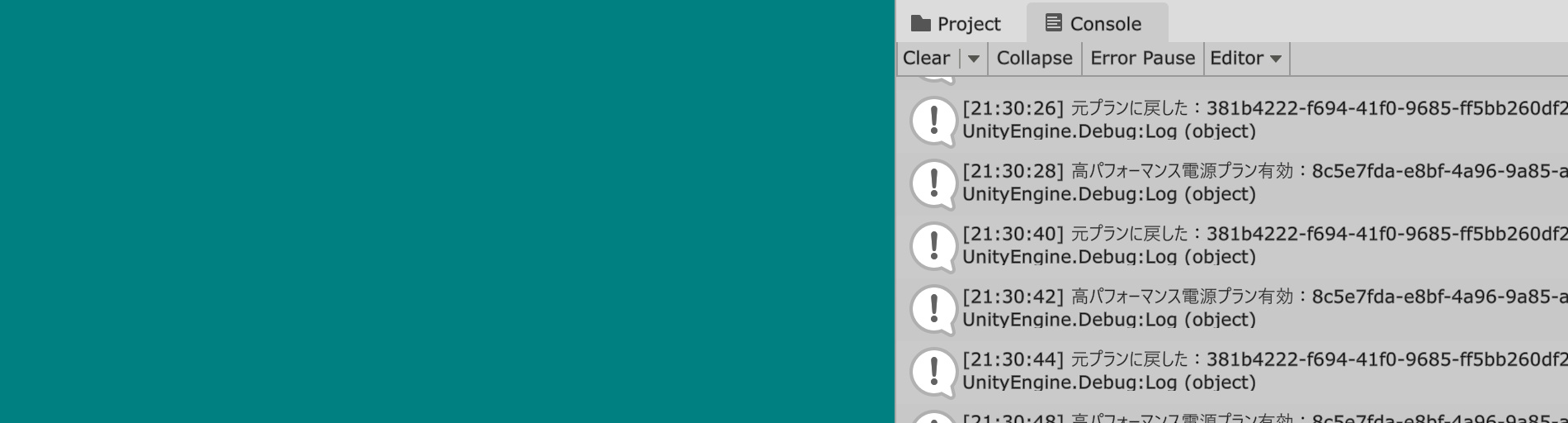
UnityEditorPerformanceBoost
A simple editor extension that switches to High Performance power plan only while using the Unity Editor
Copy and paste the source code
UnityEditorPerformanceBoost
A simple editor extension that switches to High Performance power plan only while using the Unity Editor
Set the power plan to High Performance only while using the Unity Editor
UnityEditorPerformanceBoost is
A simple editor extension that switches your power plan to High Performance only while using the Unity Editor.
While dramatic results may not be expected,
You can boost the performance of the Unity Editor with no risk.
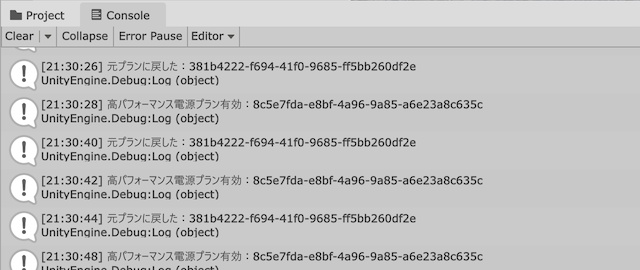
Install
INSTALL
1. Copy the source code below and place it in the Editor folder as a file named UnityEditorPerformanceBoost.cs.
2. It runs automatically just by placing the source code.
2. It runs automatically just by placing the source code.
How To Use
HOW TO USE
Source code
SOURCE CODE
UnityEditorPerformanceBoost Source code
#if UNITY_EDITOR_WIN && UNITY_EDITOR

using System;
using System.Diagnostics;
using System.Runtime.InteropServices;
using System.Text.RegularExpressions;
using UnityEditor;

[InitializeOnLoad]
public static class UnityEditorPerformanceBoost
{
    /// <summary>
    /// Is it currently in high-performance mode?
    /// </summary>
    private static bool isHighPerformance = false;

    /// <summary>
    /// Power-Saving Power Plan
    /// </summary>
    private static readonly string powerSchemeSaving = "a1841308-3541-4fab-bc81-f71556f20b4a";

    /// <summary>
    /// Balanced Power Plan
    /// </summary>
    private static readonly string powerSchemeBalance = "381b4222-f694-41f0-9685-ff5bb260df2e";

    /// <summary>
    /// High-Performance Power Plan
    /// </summary>
    private static readonly string PowerSchemeHighPerformance = "8c5e7fda-e8bf-4a96-9a85-a6e23a8c635c";

    /// <summary>
    /// Timer
    /// </summary>
    private static double lastTime;

    /// <summary>
    /// Previous power plan
    /// </summary>
    private static string originalPowerScheme;

    /// <summary>
    /// GUID Regular Expressions
    /// </summary>
    private static readonly Regex GuidRegex = new(@"\b[0-9a-fA-F]{8}-[0-9a-fA-F]{4}-[0-9a-fA-F]{4}-[0-9a-fA-F]{4}-[0-9a-fA-F]{12}\b", RegexOptions.Compiled);

    static UnityEditorPerformanceBoost()
    {
        EditorApplication.update += OnUpdate;
    }

    /// <summary>
    /// Scheduled Timer
    /// </summary>
    private static void OnUpdate()
    {
        if (EditorApplication.timeSinceStartup - lastTime > 2)
        {
            lastTime = EditorApplication.timeSinceStartup;
            CheckFocused();
        }
    }

    /// <summary>
    /// Focus Check
    /// </summary>
    private static void CheckFocused()
    {
        if (IsWindowFocused())
        {
            EnableHighPerformance();
        }
        else
        {
            RestoreOriginalPowerScheme();
        }
    }

    /// <summary>
    /// Enable High Performance Mode
    /// </summary>
    private static void EnableHighPerformance()
    {
        try
        {
            if (isHighPerformance) return;
            isHighPerformance = true;

            // Save the current power plan

            var str = CommandPowerCfg($"/getactivescheme");
            var match = GuidRegex.Match(str);
            originalPowerScheme = match.Value;

            // Raise the priority of your process

            Process.GetCurrentProcess().PriorityClass = ProcessPriorityClass.High;

            // Set the Windows power plan to High Performance

            CommandPowerCfg($"/setactive {PowerSchemeHighPerformance}");

            UnityEngine.Debug.Log("High-Performance Power Plan Enabled:" + PowerSchemeHighPerformance);
        }
        catch (Exception e)
        {
            UnityEngine.Debug.LogError(e);
        }
    }

    /// <summary>
    /// Restore the original power plan
    /// </summary>
    private static void RestoreOriginalPowerScheme()
    {
        try
        {
            if (!isHighPerformance) return;
            isHighPerformance = false;

            // Set the process priority to default

            Process.GetCurrentProcess().PriorityClass = ProcessPriorityClass.Normal;

            // Restore Windows power plans

            CommandPowerCfg($"/setactive {originalPowerScheme}");

            UnityEngine.Debug.Log("I switched back to the original plan:" + originalPowerScheme);
        }
        catch (Exception e)
        {
            UnityEngine.Debug.LogError(e);
        }
    }

    [DllImport("user32.dll")]
    private static extern IntPtr GetForegroundWindow();

    [DllImport("user32.dll")]
    private static extern uint GetWindowThreadProcessId(IntPtr hWnd, out uint processId);

    /// <summary>
    /// Is the window in the foreground?
    /// </summary>
    /// <returns></returns>
    private static bool IsWindowFocused()
    {
        IntPtr hwnd = GetForegroundWindow();
        if (hwnd == IntPtr.Zero) return false;

        GetWindowThreadProcessId(hwnd, out uint processId);
        return (processId == (uint)Process.GetCurrentProcess().Id);
    }

    /// <summary>
    /// Power Plan Commands
    /// </summary>
    /// <param name="command"></param>
    /// <returns></returns>
    private static string CommandPowerCfg(string command)
    {
        var processStartInfo = new ProcessStartInfo("powercfg", command)
        {
            RedirectStandardOutput = true,
            UseShellExecute = false,
            CreateNoWindow = true
        };

        using (var process = Process.Start(processStartInfo))
        {
            return process.StandardOutput.ReadToEnd();
        }
    }
}

#endif
License
LICENSE
MIT License
Copyright 2025 MMGames
Permission is hereby granted, free of charge, to any person obtaining a copy of this software and associated documentation files (the “Software”), to deal in the Software without restriction, including without limitation the rights to use, copy, modify, merge, publish, distribute, sublicense, and/or sell copies of the Software, and to permit persons to whom the Software is furnished to do so, subject to the following conditions:
The above copyright notice and this permission notice shall be included in all copies or substantial portions of the Software.
THE SOFTWARE IS PROVIDED “AS IS”, WITHOUT WARRANTY OF ANY KIND, EXPRESS OR IMPLIED, INCLUDING BUT NOT LIMITED TO THE WARRANTIES OF MERCHANTABILITY, FITNESS FOR A PARTICULAR PURPOSE AND NONINFRINGEMENT. IN NO EVENT SHALL THE AUTHORS OR COPYRIGHT HOLDERS BE LIABLE FOR ANY CLAIM, DAMAGES OR OTHER LIABILITY, WHETHER IN AN ACTION OF CONTRACT, TORT OR OTHERWISE, ARISING FROM, OUT OF OR IN CONNECTION WITH THE SOFTWARE OR THE USE OR OTHER DEALINGS IN THE SOFTWARE.
Copyright 2025 MMGames
Permission is hereby granted, free of charge, to any person obtaining a copy of this software and associated documentation files (the “Software”), to deal in the Software without restriction, including without limitation the rights to use, copy, modify, merge, publish, distribute, sublicense, and/or sell copies of the Software, and to permit persons to whom the Software is furnished to do so, subject to the following conditions:
The above copyright notice and this permission notice shall be included in all copies or substantial portions of the Software.
THE SOFTWARE IS PROVIDED “AS IS”, WITHOUT WARRANTY OF ANY KIND, EXPRESS OR IMPLIED, INCLUDING BUT NOT LIMITED TO THE WARRANTIES OF MERCHANTABILITY, FITNESS FOR A PARTICULAR PURPOSE AND NONINFRINGEMENT. IN NO EVENT SHALL THE AUTHORS OR COPYRIGHT HOLDERS BE LIABLE FOR ANY CLAIM, DAMAGES OR OTHER LIABILITY, WHETHER IN AN ACTION OF CONTRACT, TORT OR OTHERWISE, ARISING FROM, OUT OF OR IN CONNECTION WITH THE SOFTWARE OR THE USE OR OTHER DEALINGS IN THE SOFTWARE.
