






UnityAssetHistory
A Simple Unity Editor Extension that records asset selection history
Copy and paste the source code
UnityAssetHistory
A Simple Unity Editor Extension that records asset selection history
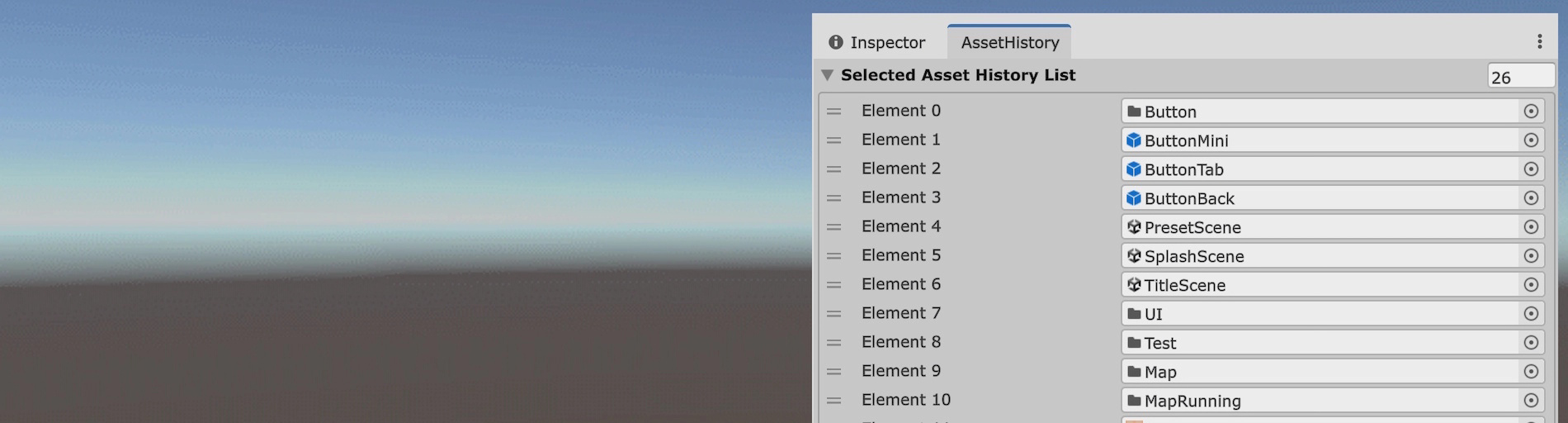
Record asset selection history
The Unity Editor does not have a feature to return to previously selected assets.
This frequently leads to the question, Which asset was that one I just used?
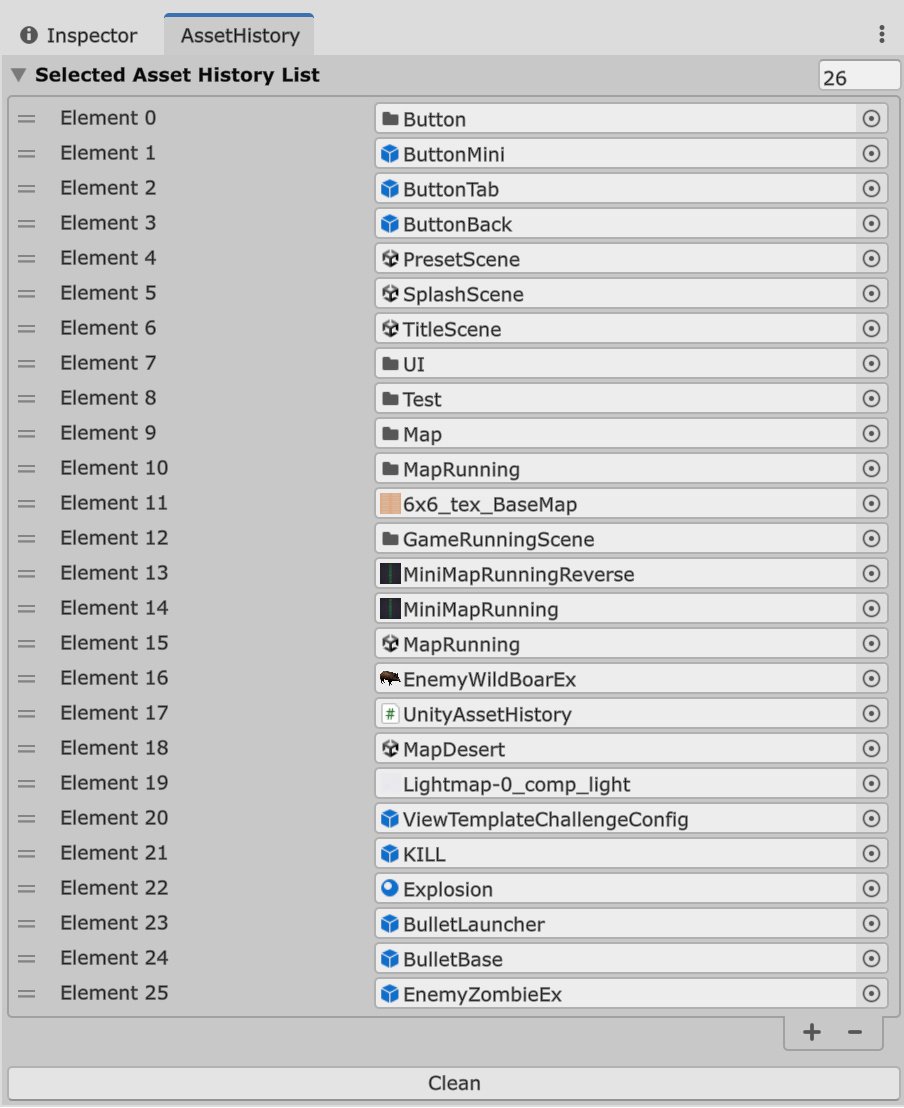
Using this extension, the history of selected assets is recorded,
You will be able to quickly return to previously selected assets.
Install
INSTALL
1. Copy the source code below and place it in the Editor folder as a file named UnityAssetHistory.cs.
2. Open the window from Menu > Tools > Unity Asset History in the Unity Editor.
2. Open the window from Menu > Tools > Unity Asset History in the Unity Editor.
How To Use
HOW TO USE
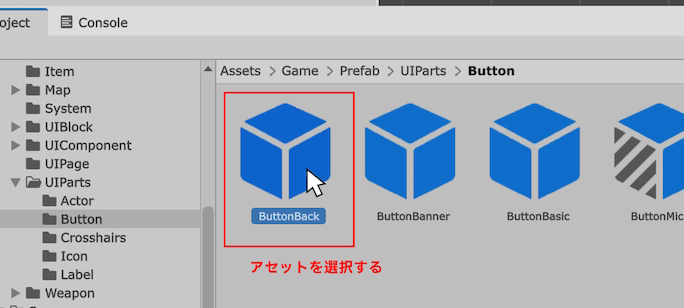
2. The selected asset will be automatically recorded.

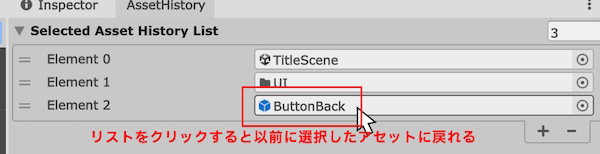
3. Selected assets are automatically recorded in sequence. The last selected asset appears at the top.
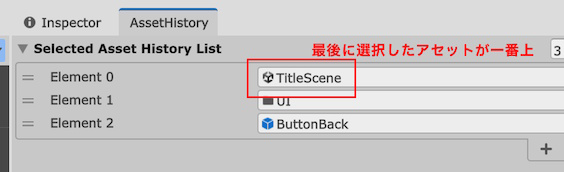
4. Click the asset you want to return to, and you'll be back in no time. No more getting lost in the previous asset's location!
Source code
SOURCE CODE
UnityAssetHistory Source code
#if UNITY_EDITOR

using System.Collections.Generic;
using UnityEditor;
using UnityEngine;

/// <summary>
/// UnityAssetHistory Ver 1.0.0
/// Copyright (c) 2025 MMGames
/// Released under the MIT License.
/// https://9cguide.appspot.com/en/unity_unity_asset_history.html
/// </summary>
public class UnityAssetHistory : EditorWindow
{
    /// <summary>
    /// History of the selected asset (Note: Variable names may have changed)
    /// </summary>
    [SerializeField]
    private List<Object> selectedAssetHistoryList = new();

    /// <summary>
    /// Current scroll position
    /// </summary>
    private Vector2 scrollPosition;

    /// <summary>
    /// Targets only assets (ignores folders and objects within scenes)
    /// </summary>
    private bool IsAssetOlly = false;

    /// <summary>
    /// Add to the Unity Editor menu
    /// </summary>
    [MenuItem("Tools/UnityAssetHistory")]
    private static void RegisterMenu()
    {
        GetWindow<UnityAssetHistory>();
    }

    /// <summary>
    /// Enable
    /// </summary>
    private void OnEnable()
    {
        // Asset Selection Event

        Selection.selectionChanged += OnSelectionChanged;
    }

    /// <summary>
    /// Redraw
    /// </summary>
    private void OnGUI()
    {
        // Convert to a SerializedObject

        var serializedObject = new SerializedObject(this);
        serializedObject.Update();

        // View the history of the selected asset

        scrollPosition = EditorGUILayout.BeginScrollView(scrollPosition);

        EditorGUILayout.PropertyField(serializedObject.FindProperty("selectedAssetHistoryList"), true);

        EditorGUILayout.EndScrollView();

        EditorGUILayout.Space();

        // Clear button

        if (GUILayout.Button("Clean"))
        {
            OnClickCleanButton();
        }
    }

    /// <summary>
    /// An asset has been selected
    /// </summary>
    private void OnSelectionChanged()
    {
        bool isRepaint = false;

        // Get the selected object

        var selectedObjectList = Selection.objects;

        foreach (Object obj in selectedObjectList)
        {
            // If it's not an asset, ignore it

            if (IsAssetOlly)
            {
                if (IsAsset(obj) == false) return;
            }

            // Does it already exist in the history?

            var selectedAssetHistoryIndex = selectedAssetHistoryList.IndexOf(obj);

            if (selectedAssetHistoryIndex >= 0)
            {
                // If it exists, delete it (since it will be added to the beginning, it will move to the top)

                selectedAssetHistoryList.Remove(obj);
            }

            // Redraw flag ON

            isRepaint = true;

            // Add to the front

            selectedAssetHistoryList.Insert(0, obj);
        }

        // If there are any assets that can no longer be accessed, please delete them.

        if (GCAll()) isRepaint = true;

        // Redraw

        if (isRepaint) Repaint();
    }

    /// <summary>
    /// The Clean button was clicked
    /// </summary>
    private void OnClickCleanButton()
    {
        // If there's no history, I won't do anything

        if (selectedAssetHistoryList.Count == 0) return;

        // Clear and redraw

        selectedAssetHistoryList = new();
        Repaint();
    }

    /// <summary>
    /// Remove all inaccessible assets from the history
    /// </summary>
    /// <returns></returns>
    private bool GCAll()
    {
        // If there are none, no need to redraw

        if (GCSingle() == false) return false;

        // Repeat the deletion process as long as there are assets that can no longer be accessed

        while (GCSingle())
        {
        }

        return true;
    }

    /// <summary>
    /// Delete just one inaccessible asset from the history
    /// </summary>
    /// <returns></returns>
    private bool GCSingle()
    {
        // Find assets that can no longer be accessed

        for (int i = 0; i < selectedAssetHistoryList.Count; i++)
        {
            if (selectedAssetHistoryList[i] == null)
            {
                // If found, delete and return

                selectedAssetHistoryList.RemoveAt(i);
                return true;
            }
        }

        // Not a single one

        return false;
    }

    /// <summary>
    /// Is the specified object an asset?
    /// </summary>
    /// <param name="inObject"></param>
    /// <returns></returns>
    private bool IsAsset(Object inObject)
    {
        string assetPath = AssetDatabase.GetAssetPath(inObject);
        return (assetPath.Length > 0);
    }

    /// <summary>
    /// Release
    /// </summary>
    private void OnDestroy()
    {
        Selection.selectionChanged -= OnSelectionChanged;
    }
}

#endif
License
LICENSE
MIT License
Copyright 2025 MMGames
Permission is hereby granted, free of charge, to any person obtaining a copy of this software and associated documentation files (the “Software”), to deal in the Software without restriction, including without limitation the rights to use, copy, modify, merge, publish, distribute, sublicense, and/or sell copies of the Software, and to permit persons to whom the Software is furnished to do so, subject to the following conditions:
The above copyright notice and this permission notice shall be included in all copies or substantial portions of the Software.
THE SOFTWARE IS PROVIDED “AS IS”, WITHOUT WARRANTY OF ANY KIND, EXPRESS OR IMPLIED, INCLUDING BUT NOT LIMITED TO THE WARRANTIES OF MERCHANTABILITY, FITNESS FOR A PARTICULAR PURPOSE AND NONINFRINGEMENT. IN NO EVENT SHALL THE AUTHORS OR COPYRIGHT HOLDERS BE LIABLE FOR ANY CLAIM, DAMAGES OR OTHER LIABILITY, WHETHER IN AN ACTION OF CONTRACT, TORT OR OTHERWISE, ARISING FROM, OUT OF OR IN CONNECTION WITH THE SOFTWARE OR THE USE OR OTHER DEALINGS IN THE SOFTWARE.
Copyright 2025 MMGames
Permission is hereby granted, free of charge, to any person obtaining a copy of this software and associated documentation files (the “Software”), to deal in the Software without restriction, including without limitation the rights to use, copy, modify, merge, publish, distribute, sublicense, and/or sell copies of the Software, and to permit persons to whom the Software is furnished to do so, subject to the following conditions:
The above copyright notice and this permission notice shall be included in all copies or substantial portions of the Software.
THE SOFTWARE IS PROVIDED “AS IS”, WITHOUT WARRANTY OF ANY KIND, EXPRESS OR IMPLIED, INCLUDING BUT NOT LIMITED TO THE WARRANTIES OF MERCHANTABILITY, FITNESS FOR A PARTICULAR PURPOSE AND NONINFRINGEMENT. IN NO EVENT SHALL THE AUTHORS OR COPYRIGHT HOLDERS BE LIABLE FOR ANY CLAIM, DAMAGES OR OTHER LIABILITY, WHETHER IN AN ACTION OF CONTRACT, TORT OR OTHERWISE, ARISING FROM, OUT OF OR IN CONNECTION WITH THE SOFTWARE OR THE USE OR OTHER DEALINGS IN THE SOFTWARE.
